// UNREAL ENGINE PLUGIN
Spline Juice: Game Juice Presets for Unreal Engine
Pop-in, wobble, squash and stretch for any static or skeletal mesh, in seconds.
Make meshes pop in, wobble, squash and stretch, and melt: any static or animated skeletal mesh, in a few seconds.
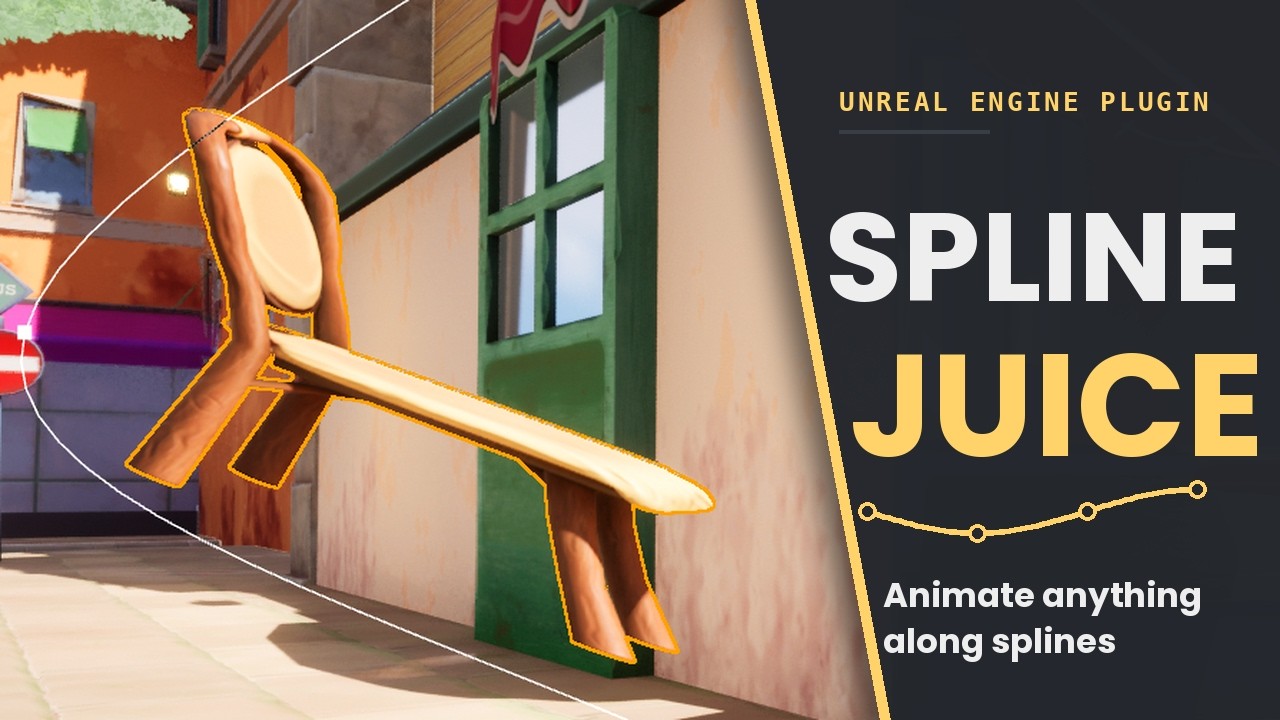
Pick one of 16 built-in presets (Pop In for spawns, Idle Breathe and Wobble to bring a static scene to life, Squash & Stretch, Goo Drip, or an assembly build reveal) and Spline Juice generates the deform materials for you, so there is no material editing and no C++. Under the hood it is a visual-only spline mesh deformer driven by World Position Offset: the mesh bends, squashes, and stretches along an editable spline while the actor transform and collision never move, and every motion stays art-directed on editable curves. Comparing approaches? Read how to make meshes pop in Unreal Engine, or the build-along on squash and stretch along a spline.
Gallery

Set up in seconds
- Right-click the mesh actor in the level viewport and choose Spline Juice > Add Deform Component. It works on a whole selection at once, and the settings panel opens ready to go.
- On the Meshes & Materials tab every mesh and material slot starts selected: click Generate Deform Materials. Spline Juice authors a deform-capable copy of each material and leaves your originals untouched, so you never open the material editor.
- On the Presets tab, pick a preset such as Pop In (Spawn) and click Apply.
- Switch on Live Preview to watch it play in the viewport without pressing Play. In game it runs on Auto Play, or trigger it from Blueprint with Play From Start.
16 ready-made presets
Pick one, click Apply, and it plays. Every preset stays editable afterwards.
Appear and spawn
- Pop In (Spawn)
- Springs up from nothing, overshoots full size, and settles with a small squash landing. The pickup, collectible, and spawn beat.
- Grow From Ground
- Sprouts upward from its base and overshoots full size with an elastic settle.
- Rain Drops
- Falls straight from the sky, small at first, then inflates to full size on landing.
- Overshoot
- Drops past its rest point, then springs back up to settle upright.
Bring a static scene to life
- Idle Breathe
- A slow girth pulse that reads as breathing, for idle props and creatures.
- Wobble (Jello)
- Sways side to side with a decaying jiggle, tip more than base. Follow-through after a landing or stop.
- Balloon Up
- Swells outward like a balloon, overshoots, then deflates. The puff-up or blowfish beat.
- Gulp (Traveling Bulge)
- A lump swells and rides down the body, like a snake swallowing or a throat gulp.
- Rumble
- A building shudder that releases with a pop. The charge-up or about-to-explode beat.
- Whirring
- A continuous twisting shimmer with a mechanical throb, for machines running in place.
Motion and impact
- Squash & Stretch
- Winds up tall, pancakes onto the ground, rebounds, and settles. Classic cartoon squash and stretch.
- Bouncy Balls
- Drops and bounces with decaying height until it settles.
- Cannon
- Fired forward and up off a tower, then drops to land at rest, like a cannonball.
- Follow Path
- Rides a closed-loop path facing its direction of travel: a patrol route, a circling bird, an orbiting moon.
Melt and build reveal
- Goo Drip (Melt)
- Sags into a puddle, top first, and holds the melted pose. The goo, dissolve, or defeat beat.
- Cannon Burst
- Shatters into pieces on launch, tumbles through the arc, and reassembles whole as it lands.
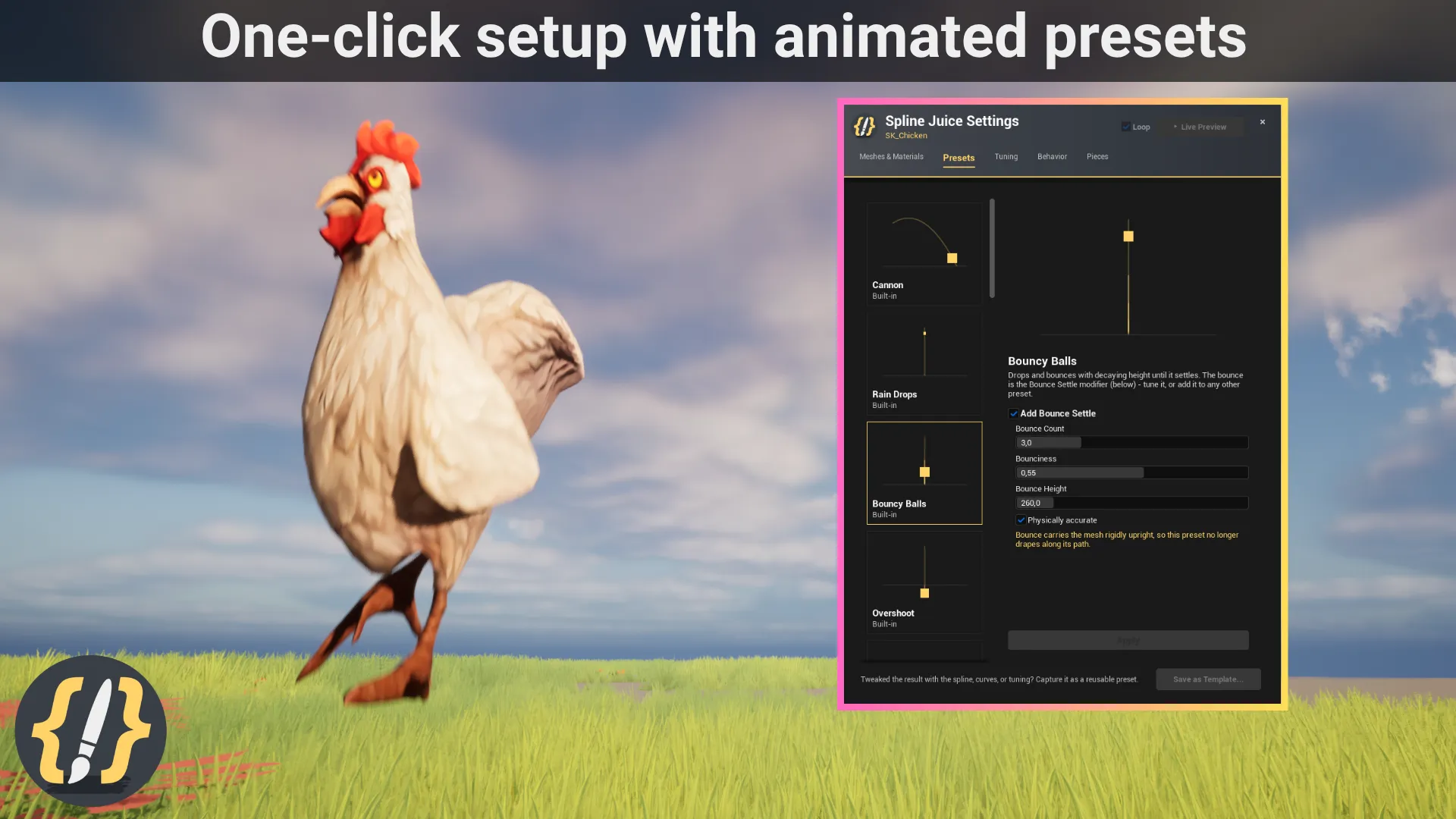
Add Bounce Settle to any preset to append a physically timed bounce at the end. Every preset stays fully editable after you apply it, and you can save your own looks as presets for the whole project.
What it does
- 16 built-in presets (Pop In, Idle Breathe, Wobble, Squash & Stretch, Goo Drip, and more) applied in one click, plus a Bounce Settle modifier for any of them.
- Works on any static mesh and on animated skeletal meshes: the deform layers on top of the playing animation.
- No material editing: Generate Deform Materials authors deform-capable copies of your own materials and leaves the originals untouched.
- Visual only: World Position Offset moves the rendered surface while the actor transform and collision never move.
- Live Preview plays the effect right in the level viewport, with no Play or Simulate needed.
- Art-directable curves for travel timing, stretch, size, squash, wobble, inflate, shake, melt, bulge, and twist.
- Group Stagger turns a selection of actors into one choreographed wave: ripple from the center, sweep along an axis, or random jitter.
- Assembly: a static mesh explodes into pieces and reassembles as it travels, for build and reveal moments.
- Motion vectors are wired in, so moving meshes do not ghost or smear under TAA or TSR.
- Blueprint-ready: play, pause, reverse, and scrub from Blueprint or C++, react to finished and looped events, and push a setup into an actor Blueprint so every instance gets it.
Is it the right tool?
A good fit for
- Spawn and pickup pops: loot, collectibles, and props appearing in the world.
- Idle life on static props and scenery: breathing, wobbling, whirring, rumbling.
- Cartoon squash and stretch on static meshes and animated skeletal characters.
- Build and reveal moments where a mesh assembles from pieces.
- Many actors at once, played as one staggered wave.
- Blueprint-only projects: no C++ and no material editing required.
Not what it does
- Outlines, highlight glows, or hover effects. Spline Juice deforms the shape; it does not recolor it.
- Moving collision or physics. The effect is visual only, so the actor transform and collision stay put.
- Assembly on skeletal meshes. The piece-based assembly effect is static-mesh only.
- Authoring inside the Blueprint editor. Set it up on a placed actor, then use Push Setup to Blueprint.
Requirements:Unreal Engine 5.1 to 5.8, Windows (Win64). Current version 2.5.0.
Frequently asked questions
- How do I make a mesh pop in when it spawns in Unreal Engine?
- Add the Spline Juice Deform Component to the actor (right-click it, then Spline Juice > Add Deform Component), click Generate Deform Materials, and apply the Pop In (Spawn) preset. The mesh springs up from nothing, overshoots full size, and settles with a small squash landing. It takes a few seconds and needs no material editing or C++.
- Do I need to edit my materials?
- No. Generate Deform Materials authors a deform-capable copy of each of your materials automatically and leaves the originals untouched, so you never open the material editor. A material contract is documented for anyone who prefers to wire their own.
- Does it work on animated skeletal meshes?
- Yes. Static meshes and skeletal meshes are both supported. Skeletal material slots get a dedicated deform variant, so squash, stretch, and wobble layer on top of the playing animation. The piece-based assembly effect is the one feature that is static-mesh only.
- Which Unreal Engine versions does Spline Juice support?
- Unreal Engine 5.1 through 5.8, on Windows (Win64). It is sold on FAB, the Epic Games marketplace.
- Do I need C++ or Blueprint scripting?
- No. Setup happens in an editor panel, presets apply with one click, and the effect plays on its own with Auto Play. For gameplay-driven moments there is a Blueprint API (Play From Start, Play From End, Pause, Resume, Set Progress) with events for started, finished, and looped.
- Can many actors play the effect as a wave?
- Yes. Select several actors and use Group Stagger to delay each one so the group plays as a single choreographed wave: by selection order, rippling out from the center, sweeping along a world axis, or with random jitter.
- Does Spline Juice move collision or the actor transform?
- No. Spline Juice is a visual-only deformer driven by World Position Offset, so the mesh bends, squashes, and stretches while the actor transform and collision never move. The effect is fully reversible.
- Why not just scale the actor with a Timeline?
- A Timeline scale pop works for a quick uniform grow, but it scales the real transform, so collision scales with it, and it cannot bend, squash along one axis, wobble, or melt the shape. Spline Juice deforms only the rendered surface and ships those motions as presets. The guide on how to make meshes pop in Unreal Engine compares the approaches side by side.
- Can I reuse one look across many meshes?
- Yes. Save any configured look as a preset and apply it to as many actors as you like, or push a setup into an actor Blueprint so every placed instance gets it.
Tutorials & guides
-
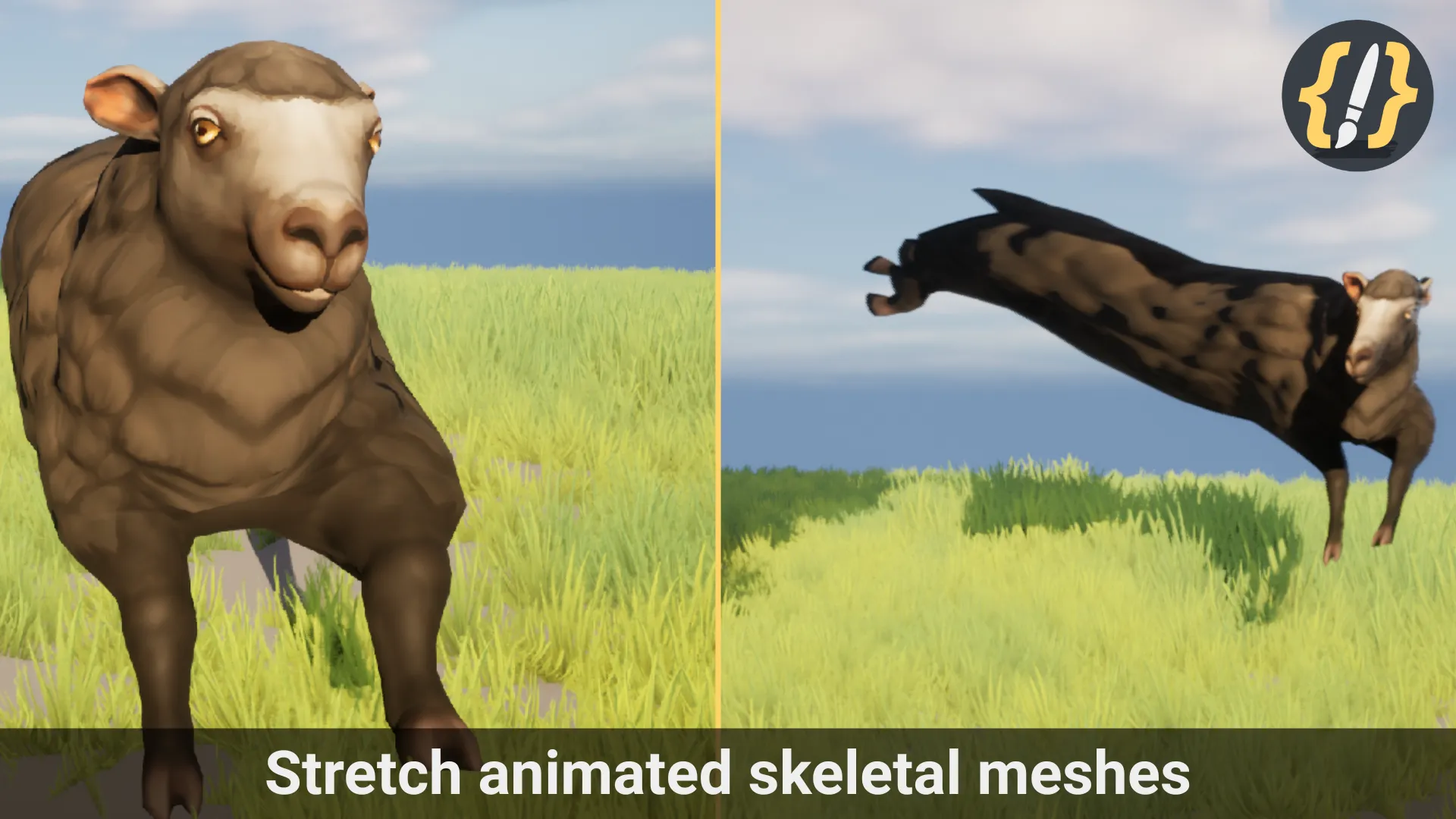
How to Make Meshes Pop in Unreal Engine: Pop-In, Squash & Stretch, Wobble
Four ways to make meshes pop in Unreal Engine, compared honestly: a Timeline scale curve, material World Position Offset, Sequencer, and ready-made presets, covering spawn pop-ins, squash and stretch, wobble, and build reveals.
-
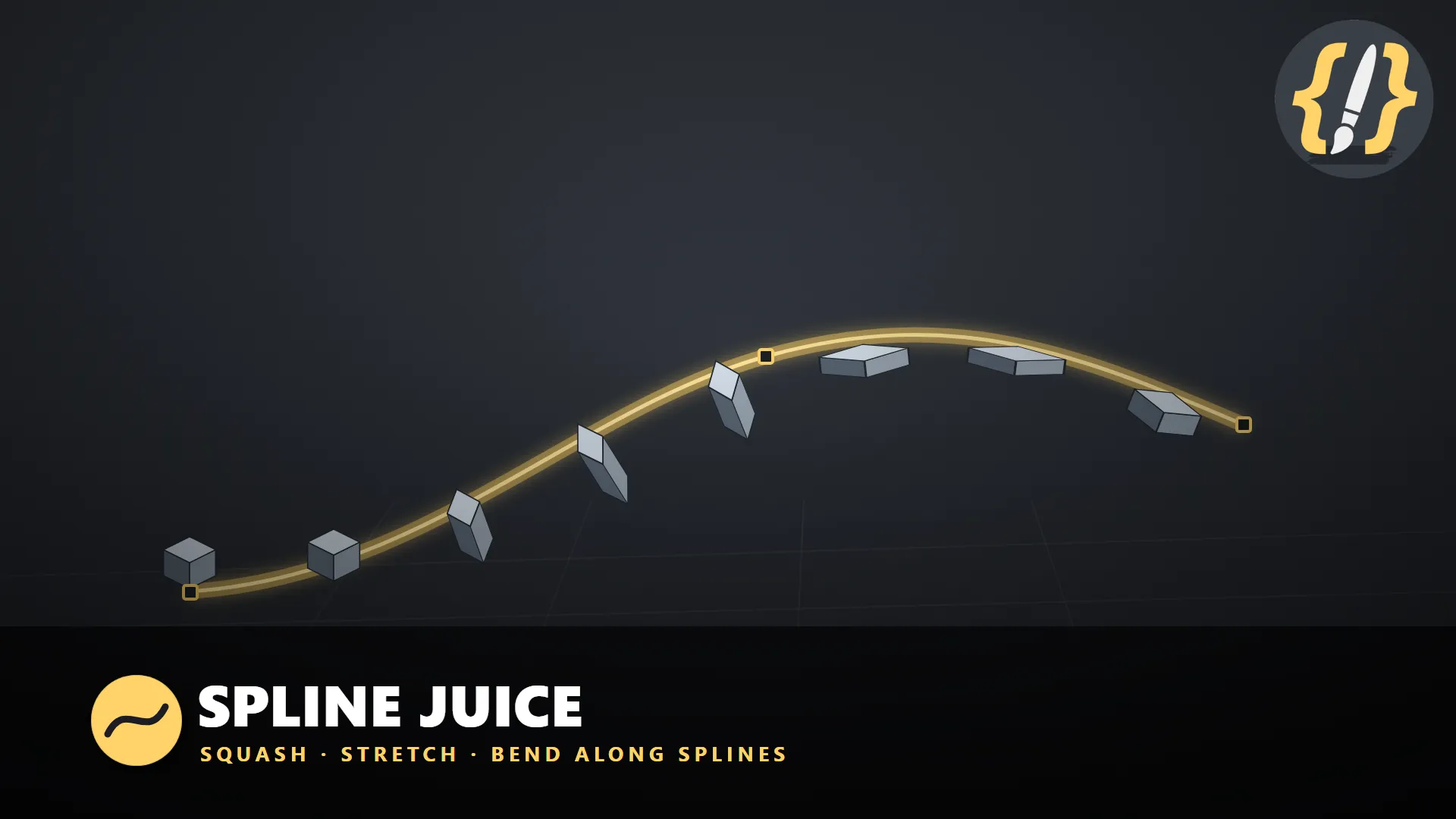
Squash and Stretch a Mesh Along a Spline in Unreal Engine
How to make a mesh squash, stretch, and bend as it travels along an editable spline in Unreal Engine using World Position Offset, so the geometry follows the curve while the actor transform and collision never move.